
Import Curl Commands
Import curl commands directly into Yaak
Yaak supports importing Curl commands from your clipboard, as well as from the regular file-import flow.
Import Curl from clipboard
When Yaak detects a Curl command in your clipboard, it will present a button in the app header to parse and import the command as a new HTTP request.
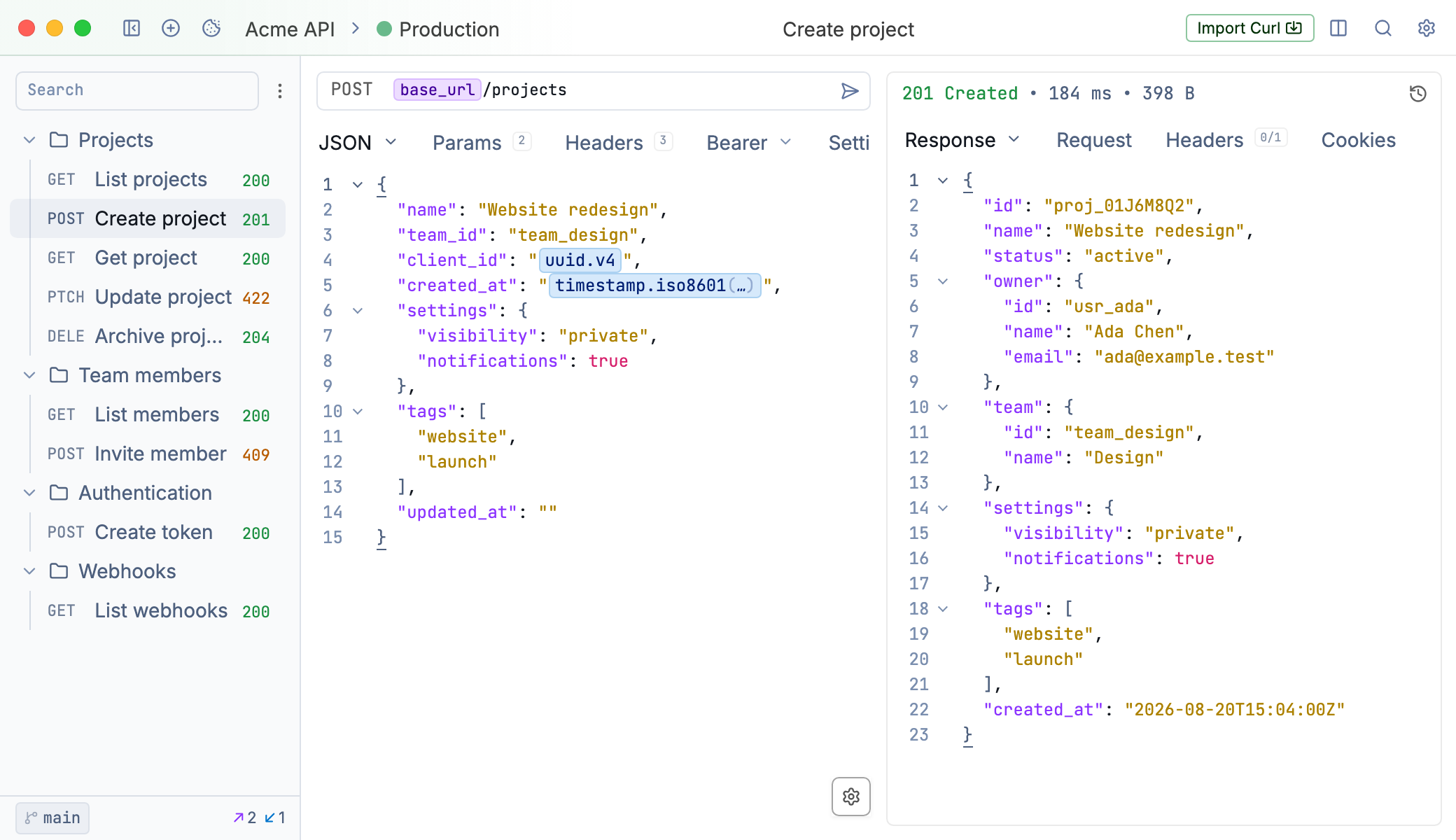
Import a Curl command detected on the clipboard
Paste Curl command into URL bar
It is also possible to paste a Curl command into the URL bar. This will overwrite the current HTTP request with the parsed Curl command.
Import file with Curl commands
Similar to how you would import data from Postman, Insomnia, or OpenAPI, you can also select a file containing one or many Curl commands. Each command will be parsed and used to create individual requests.
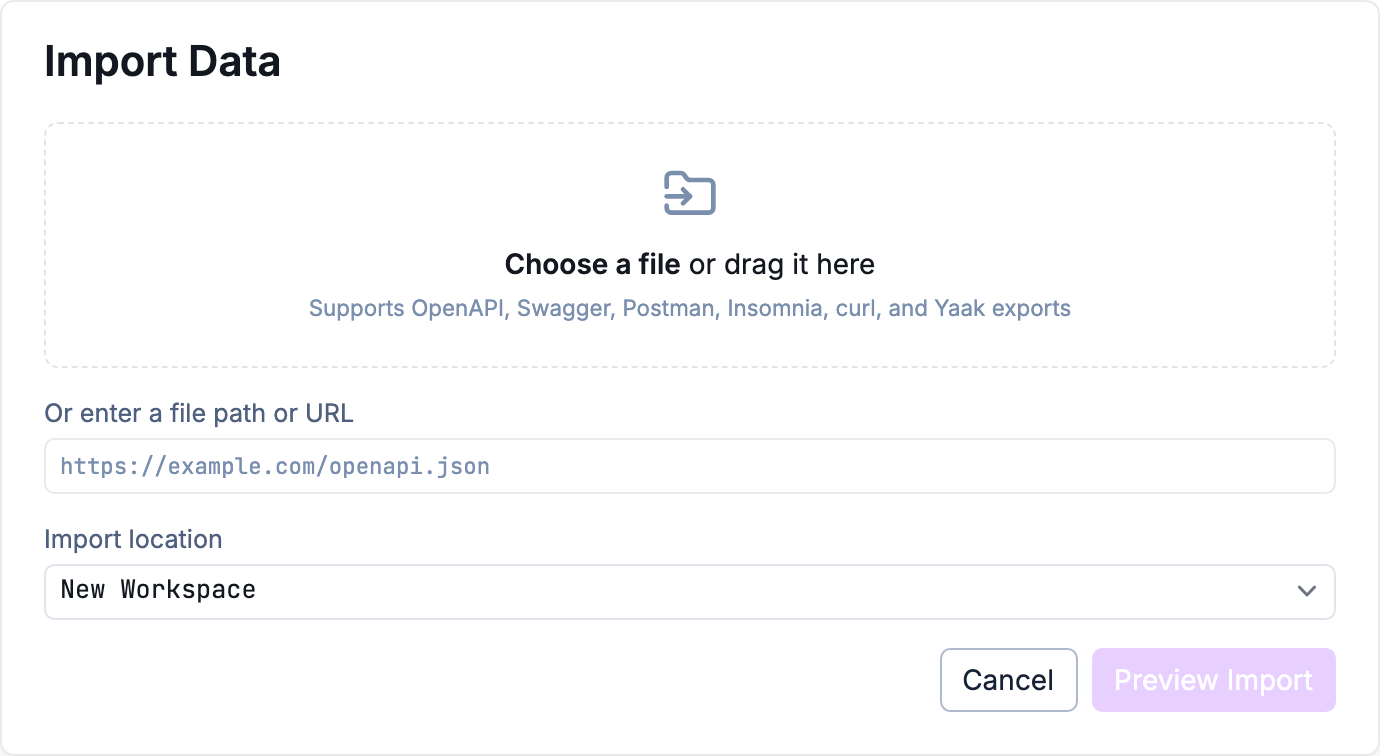
Select a file containing Curl commands
Copy as Curl
Yaak also lets you copy any request as a Curl command to share with others:
- Right-click a request in the sidebar
- Select Copy as Curl
- Paste the command anywhere
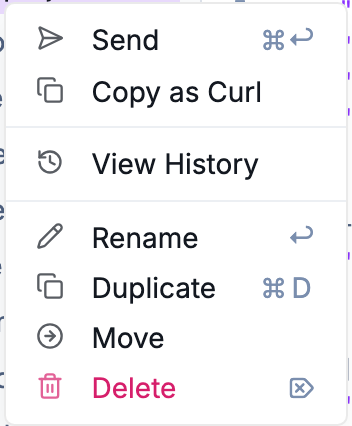
Copy a request as a Curl command
Was this helpful?