
Template Functions
Use dynamic values from anywhere in Yaak
API requests within real-world applications usually require some sort of dynamic content, whether it’s hashing a value, reading a file, or prompting the user for input.
Template functions are Yaak’s way of enabling highly dynamic requests without writing code. Here’s how they work.
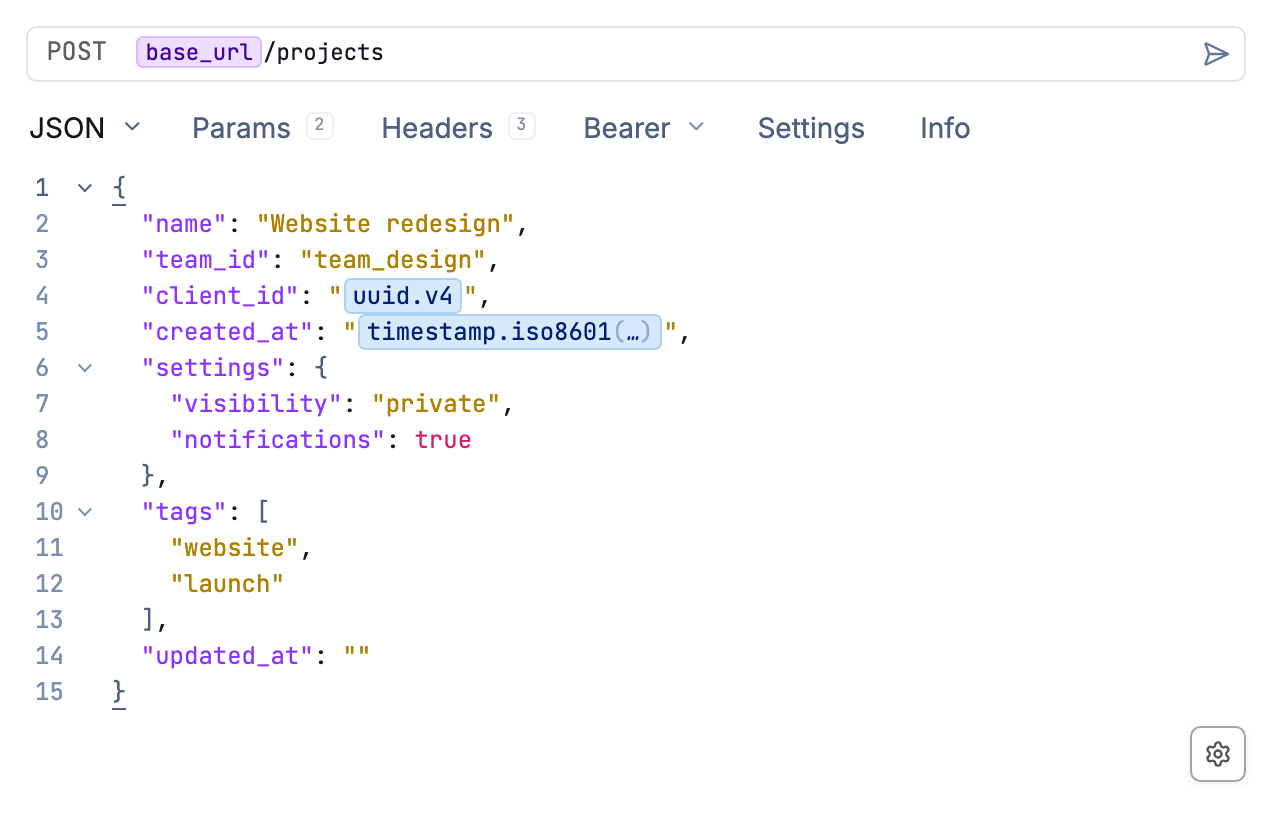
UUID and timestamp functions embedded in a JSON request body.
Referencing Template Functions
Template functions are similar to Yaak’s Environment Variables except they generate dynamic values instead of referencing static text.
Functions can be accessed via the autocomplete menu in any text input.
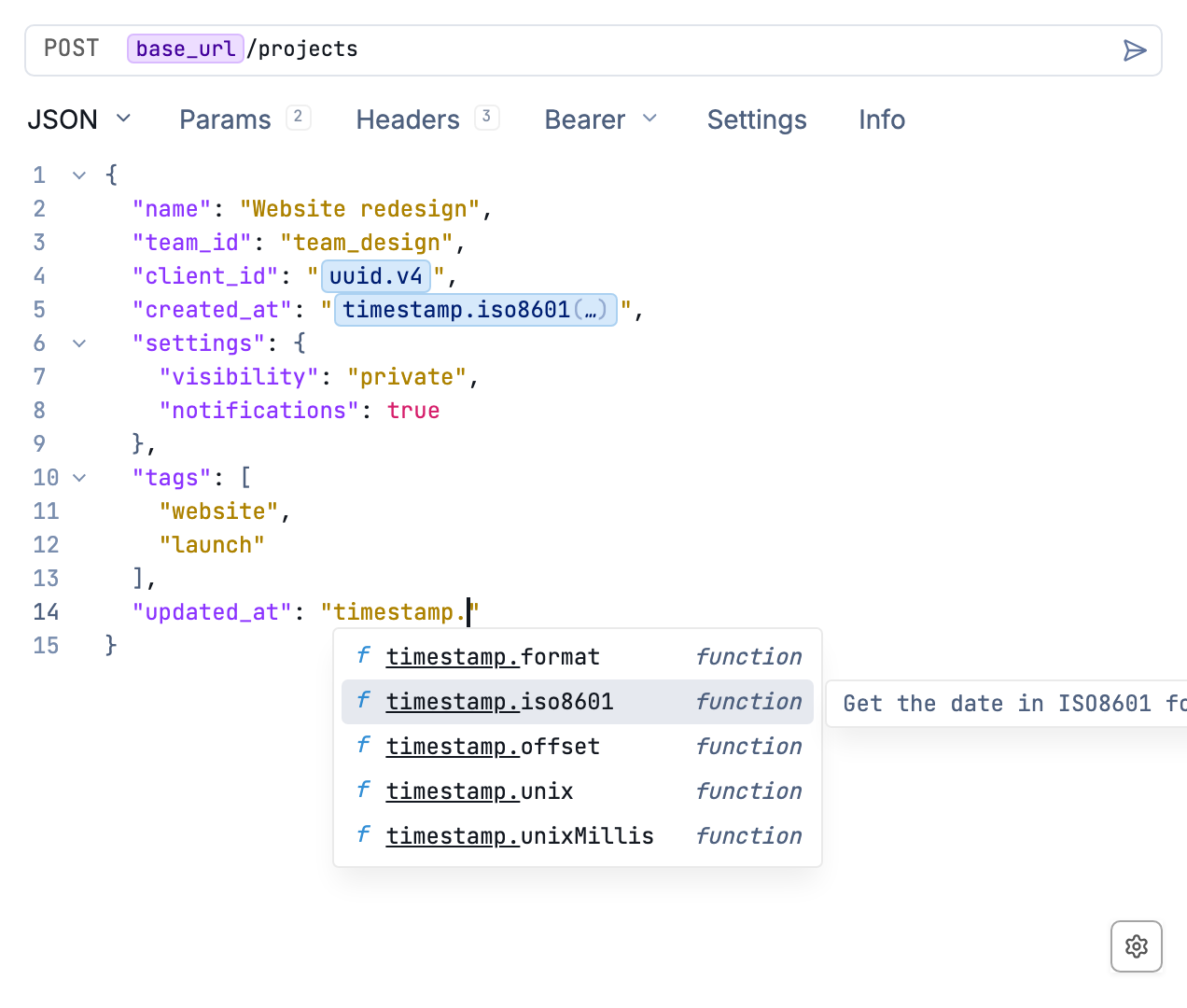
Find template functions while editing a request.
Yaak includes a number of built-in functions but it’s also easy to write your own by creating a Plugin with a few lines of TypeScript (see example below).
See the Template Function Reference for every built-in function and its arguments.
Custom Template Functions
Follow the Plugin Quick Start to create a plugin, then replace its src/index.ts with this example. It adds a function that reads a UTF-8 file:
import { readFile } from 'node:fs/promises';
import type { PluginDefinition } from '@yaakapp/api';

export const plugin: PluginDefinition = {
  templateFunctions: [{
    name: 'example.readFile',
    args: [{
      type: 'file',
      name: 'path',
      label: 'File',
      title: 'Select File',
    }],
    async onRender(_ctx, args) {
      const path = String(args.values.path ?? '');
      if (!path) return null;
      return readFile(path, 'utf8');
    },
  }],
};
After rebuilding the plugin, select example.readFile from autocomplete and choose a file. Yaak already includes fs.readFile; this example uses a separate name so it won’t replace the built-in function.
See the built-in file function for an example with encoding and whitespace options.
Was this helpful?